
Terminal · The stand
The valet attendant app — not just Tap to Pay.
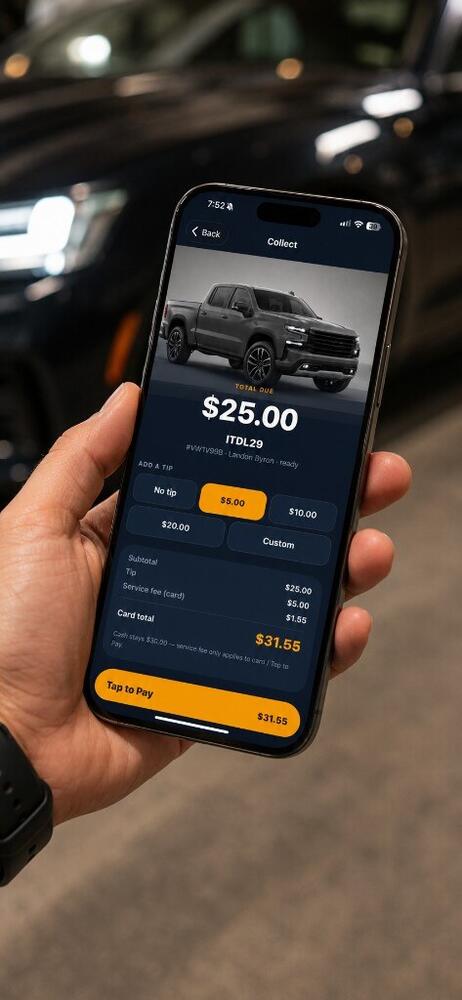
Terminal is the curb on the phone they already carry: home, new ticket, scan, retrieve, clock. Collect and Tap to Pay live on the same phone — one capability, not the product.
5:45 PM
Check in — guest phone, plate, photos. SMS is out before they reach the door.
7:20 PM
Guest taps Bring my car. Home shows requested, then retrieving, then ready. Scan Wallet if they walk up.
10:05 PM
Clock out. Tips and wages are already in ValetOS — no separate payout app.
See it run
The night, on the phone they already carry.
The stand
Every screen they actually use.
Home, check-in, scan, ticket, collect. Tap to Pay is the last one — not the only one.
Home
Check-in
Scan
Ticket
Collect

The Eastman
Valet▾
Needs attention
1 waiting on you
Clocked in
3:00 PM – 11:00 PM
Break or clock out ›
Schedule
View full schedule ›
Today
Wed, Aug 26
3:00 PM – 11:00 PM
The Eastman
Tap the glowing control, or use next. The dock, cards, and chips jump around the app.
The stand app
This is what they open on the phone.
Same login as this dashboard. This is the stand — check in, retrieve, collect. The web board is the office view.


Home and pay
Home is what needs them now — ready, requested, retrieving, parked. Tap the avatar for profile, or Check in vehicle to start a ticket.
Get the app
The stand in their pocket. $0 hardware.
Download LexoraOS Terminal. Check in, scan, retrieve, clock — and tap to collect when you need to.
- Home — what needs you now
- New ticket — phone in, SMS out
- Scan Wallet, QR, or the plate
- Advance requested → retrieving → ready → close
- Clock, then collect at the door if you need to
iPhone and Android, now. Included with ValetOS — not a hardware SKU.
What you get
The stand app — not a tap-to-pay dongle.
Home — what needs you now
Ready, requested, retrieving, parked. Open the car that is yelling. Same board as ValetOS.
New ticket
Phone in, SMS out, plate and photos on the way. Restaurant curb stays this fast.
Scan
Wallet pass, ticket QR, or the plate. The visit is on screen — not a new ticket.
Move the line
Requested → retrieving → ready → close. The guest already asked from their phone.
Clock
In and out on the same home screen. Shifts and wages land in Schedule and HR.
Collect when you need to
Fee, tip, Tap to Pay or cash at the door. One capability — not why they open the app.
Same tickets as ValetOS
Managers see the board in the browser. Attendants move the same cars on the phone.
Pricing
Choose your modules. Subscribe to start.
Create your account, choose the modules you need, and activate a paid subscription before entering the workspace.
Questions, answered
Straight answers on the stand.
Is this just a card reader?
No. Terminal is how attendants run the night — check in, scan, retrieve, clock. Tap to Pay is on the same phone when you collect.
Is Terminal its own subscription?
No. It comes with your modules — valet mode with ValetOS, parking and enforcement with ParkingOS.
Do they need a new phone?
No. It runs on the iPhone or Android already in their pocket. Nothing to buy, rent, or charge in a tote overnight.
iPhone or Android?
Both. App Store and Play Store — same LexoraOS Terminal app.
Put the stand in the pocket they already carry.
Subscribe, install LexoraOS Terminal, and run the curb without a reader fleet.